Getting started with 3D printing is super exciting! It's like opening a door to a whole new world where you can turn your ideas into real-life objects. If you’ve been thinking about diving in, you're in for a treat.
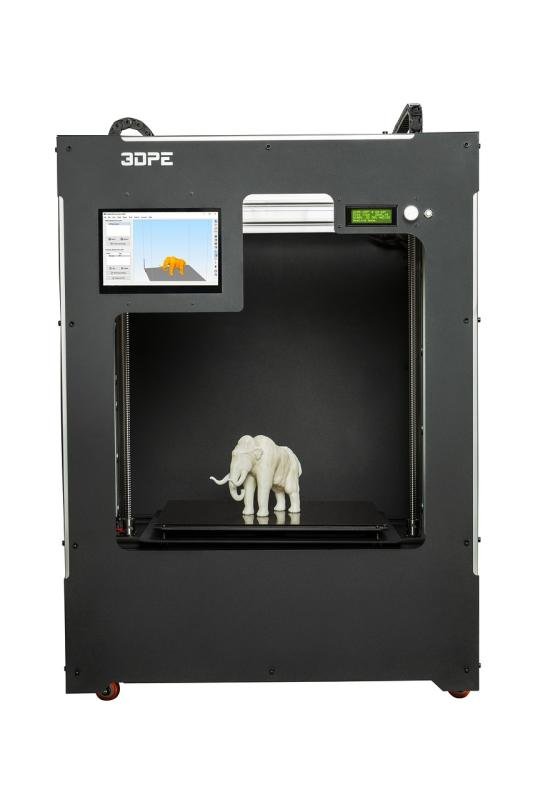
First things first, choose your printer. There are so many options out there, but you want something that fits your needs. Are you looking for something beginner-friendly? A budget-friendly option like the Creality Ender-3 or the Anycubic i3 Mega could be perfect. They’re reliable, easy to set up, and great for those just starting out.
Next, think about what you want to create. It could be anything from simple toys to practical gadgets. Sites like Thingiverse and MyMiniFactory offer tons of free designs you can print right away. Just find something you like, download the file, and you’re ready to go!
Lastly, don’t sweat the small stuff. It’s normal to run into hiccups along the way. Maybe your print fails or the settings seem confusing at first. Just take a deep breath, learn from the experience, and keep trying. With each print, you’ll get a little better and gain more confidence.
Choosing Your First 3D Printer
Jumping into the world of 3D printing can feel a bit overwhelming, but don’t stress! Picking your first 3D printer is all about understanding what you’ll be using it for. Do you want to create toys, prototypes, or even custom phone cases? Knowing your goals will help narrow down your choices. Think about what you’re most excited to make!
Price is another big factor. There are plenty of budget-friendly options out there that won’t break the bank. Many entry-level 3D printers are reliable and come with great community support. Look for models that have solid reviews and user-friendly features. It might be tempting to go for the latest and greatest, but the truth is, many affordable printers can do an amazing job!
Don’t forget about ease of use. Some printers come almost fully assembled while others require a bit of tinkering. If you’re not into building things from scratch, opt for one that’s simple to set up. Also, check the software compatibility. You’ll want something that lets you slice your designs easily and is compatible with your computer.
Finally, think about the community and support you’ll have. A strong online community can be a lifesaver when you hit those bumps along the way. Look for brands with active user forums and helpful resources. Having a place to turn for advice and tips makes the learning curve much easier!
Essential Tools for 3D Printing
Diving into 3D printing? You’ll want to have some essential tools on hand to make the most out of your experience. It’s not just about the printer; it’s also about having the right gadgets and supplies to help you along the way.
First up, you can't go wrong with a good quality slicer software. This is what turns your 3D models into something your printer can understand. Programs like Cura or PrusaSlicer are user-friendly and have a lot of features that let you tweak settings based on what you're printing.
Next, don’t forget about filament. This is the material your printer uses, and getting the right type is key. PLA is a great starting point because it’s easy to work with and comes in tons of fun colors. If you're looking for something stronger, consider ABS or PETG. Each material has its quirks, so try a few to see what fits your projects best.
Lastly, invest in some handy tools. A spatula helps lift prints off the bed without damaging them, while a set of tweezers can help you clean up small details. A digital caliper is also great for measuring and ensuring your designs fit perfectly when printed.
Simple Tips for Great Prints
Getting great prints starts with a few simple tips that can really make a difference. First off, make sure your printer is calibrated right. A well-calibrated printer is like a well-tuned guitar; it just plays better. Spend a bit of time leveling the bed and checking your nozzle height. You’ll save yourself a lot of trouble down the road.
Next, choose the right filament. Different materials have unique properties. For beginners, PLA is a great option. It’s easy to print with, sticks well, and doesn’t warp as much. If you’re feeling adventurous, try PETG for more durability or TPU for some flexibility. Just remember, each filament has its own quirks, so read up a bit before diving in.
Another key point is to keep your prints simple when starting out. Don’t try to tackle complex designs right away. Begin with basic shapes or models. This gives you a chance to master your printer and understand how different settings affect your results. Plus, it’s super satisfying to see those first successful prints.
Finally, don’t be afraid to experiment. Adjust settings like temperature and speed to find the sweet spot for your specific printer and filament. Each print won’t be perfect, and that’s okay. Make notes on what works and what doesn’t, and you’ll be on your way to creating some awesome 3D prints in no time!